One speed slider, four linked experiments. Set the relative speed and explore what “moving clocks run slow” actually looks like.
The four experiments
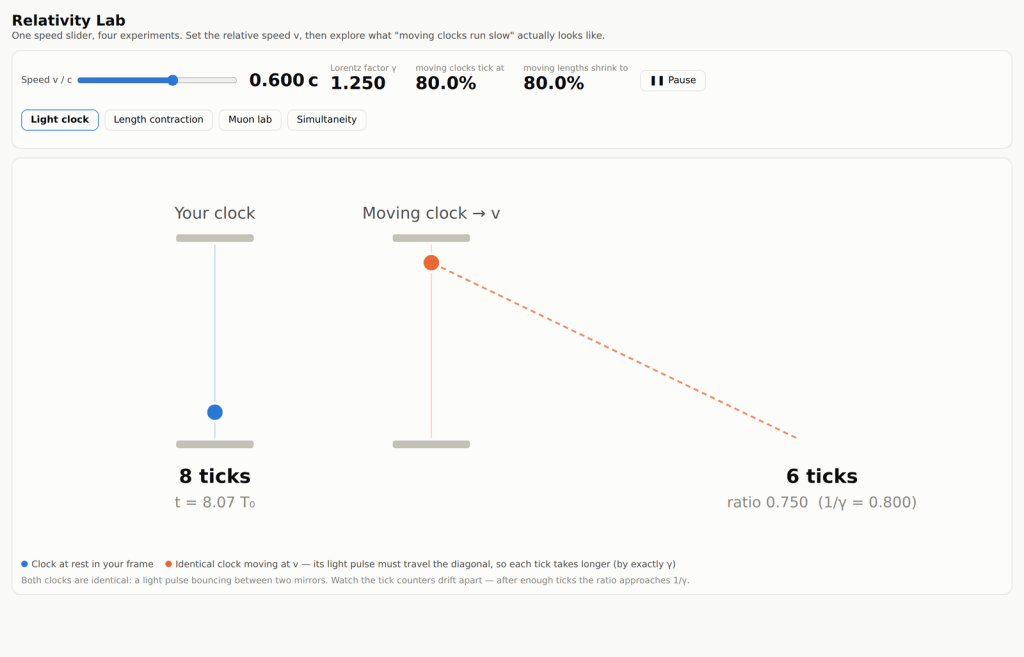
The light clock runs two identical clocks side by side, one at rest and one moving. Because the moving clock’s light pulse has to travel a diagonal path, each tick takes longer by exactly the Lorentz factor. Watch the two tick counters drift apart until their ratio settles at one over gamma.
Length contraction shows a ship whose crew measures it at its proper length. In your frame the same ship is shortened along its direction of motion while its height is untouched, with 20-metre gridlines to measure against.
The muon lab is the classic experimental case. Cosmic-ray muons have a mean lifetime of 2.2 microseconds at rest, so without time dilation almost none should survive the trip from the upper atmosphere to the ground — yet detectors find them anyway. You can vary the speed and the creation altitude, collect the survival fractions, and plot the result.
Simultaneity puts a lamp at the centre of a moving train car. In the train’s frame the flash reaches both ends at once; from the platform the rear wall runs into the light while the front wall runs away from it. Neither observer is mistaken, which is the point.
Before you start
The lab opens in a new tab and runs entirely inside your browser. Nothing is uploaded, nothing is stored, and no account is needed. The muon section has a copy-data button so you can move your measurements into a spreadsheet.
Direct link: brandoncomella-afk.github.io/physics-sims/relativity-lab.html

