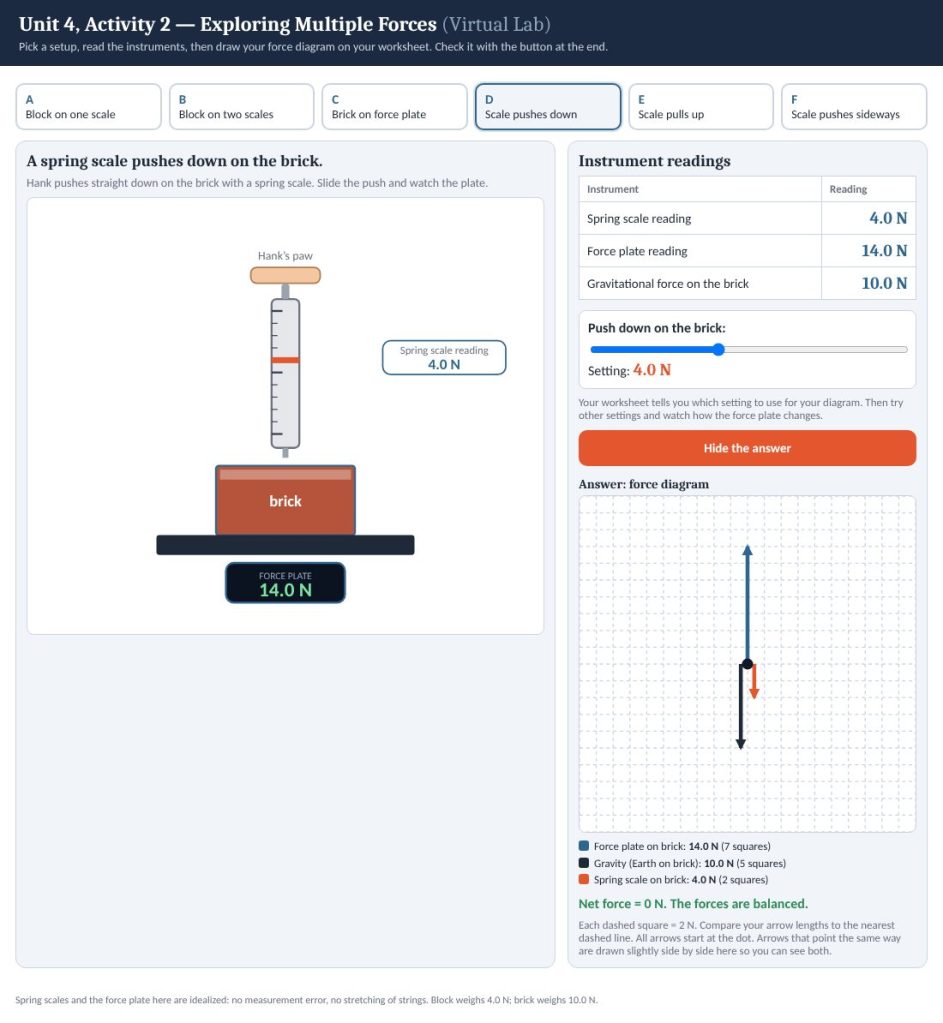
Penguin Percy hangs a crate of sardines from one spring scale, then two. Hank the Hamster pushes a brick down, pulls it up, and shoves it sideways while it sits on a force plate. Read the instruments, draw a force diagram for each setup, then check your arrows.
Six setups
Pick a tab and read the virtual instruments. A block hangs from one spring scale, then from two. A brick rests on a force plate. Then a spring scale pushes down on the brick, pulls up on it, and pushes it sideways without moving it. For the last three, a slider sets how hard the scale pushes or pulls, so you can watch the force plate change.
Draw first, then check
The answer stays hidden until you ask for it. Draw every force on your own sheet at 2 N per dashed square, with each arrow starting at the dot. Then press Check my force diagram to see the arrows, their sizes in squares, and the net force. In every setup the forces balance, including the friction force that keeps the brick from sliding in the sideways case.
For teachers
This is the virtual version of a hands-on forces activity, built for classes that can’t run real spring scales and force plates. The block weighs 4.0 N and the brick weighs 10.0 N, so every diagram lands on whole grid squares. It pairs with a printable student handout (force-diagram grids, sense-making questions, and an “add the forces” table) and a teacher guide with the answer key. If you would like them, get in touch.
Adapted from the Modeling Instruction (AMTA) activity Exploring Multiple Forces. Direct link: brandoncomella-afk.github.io/physics-sims/u4-act2-multiple-forces.html

